Mobile CRM for growing teams
Close deals faster from a CRM that moves with you.
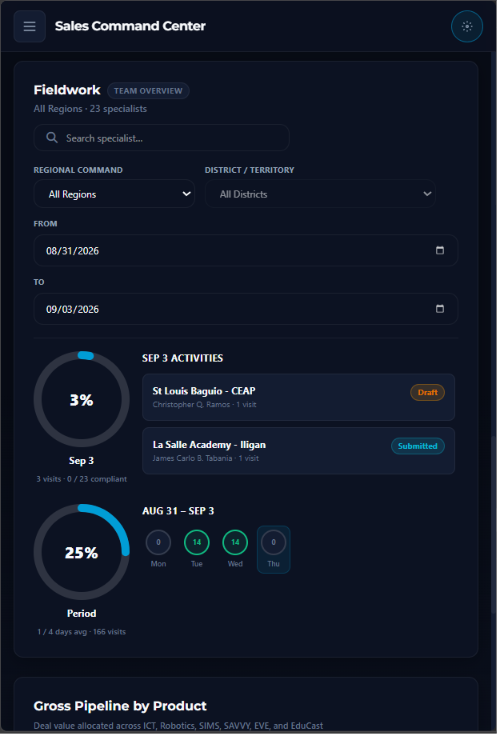
Track leads, manage clients, schedule follow-ups, and keep your sales pipeline organized from your iPhone or Android device. DAR also works in offline mode, so field teams can file Daily Activity Reports even without a signal.
Fast setup
Secure sync
Offline DAR
iOS coming soon
New leads
500
Pipeline
₱100M
Everything in your pocket
A smarter way to manage relationships on mobile.
Lead tracking
Capture every prospect, assign owners, and move deals through your pipeline with clear next steps.
Follow-up reminders
Never miss a call, quote, or meeting with smart reminders built for sales teams on the go.
Realtime dashboards
See revenue, open deals, closed wins, and team performance with beautiful mobile reports.
Offline mode for DAR
Create and save Daily Activity Reports in the field with no internet. Reports sync automatically when the device is back online.
Quick answers
Download FAQ
Is the app available for iOS and Android?
Android is available now. The iOS version will be available soon.
Can this work for sales and support teams?
Yes. The CRM layout is designed around contacts, follow-ups, deals, and customer activity.
Does DAR work offline?
Yes. Field specialists can complete Daily Activity Reports without an internet connection. Entries are saved on the device and sync when connectivity returns.
Setup guide
How to install
Install on Android
- Tap Download for Android to save the APK file.
- Open the downloaded file named app-debug.apk.
- If Android asks for permission, allow installs from your browser or Files app.
- Tap Install, then tap Open to start the CRM app.
Install on iPhone
The iOS version will be available soon.